
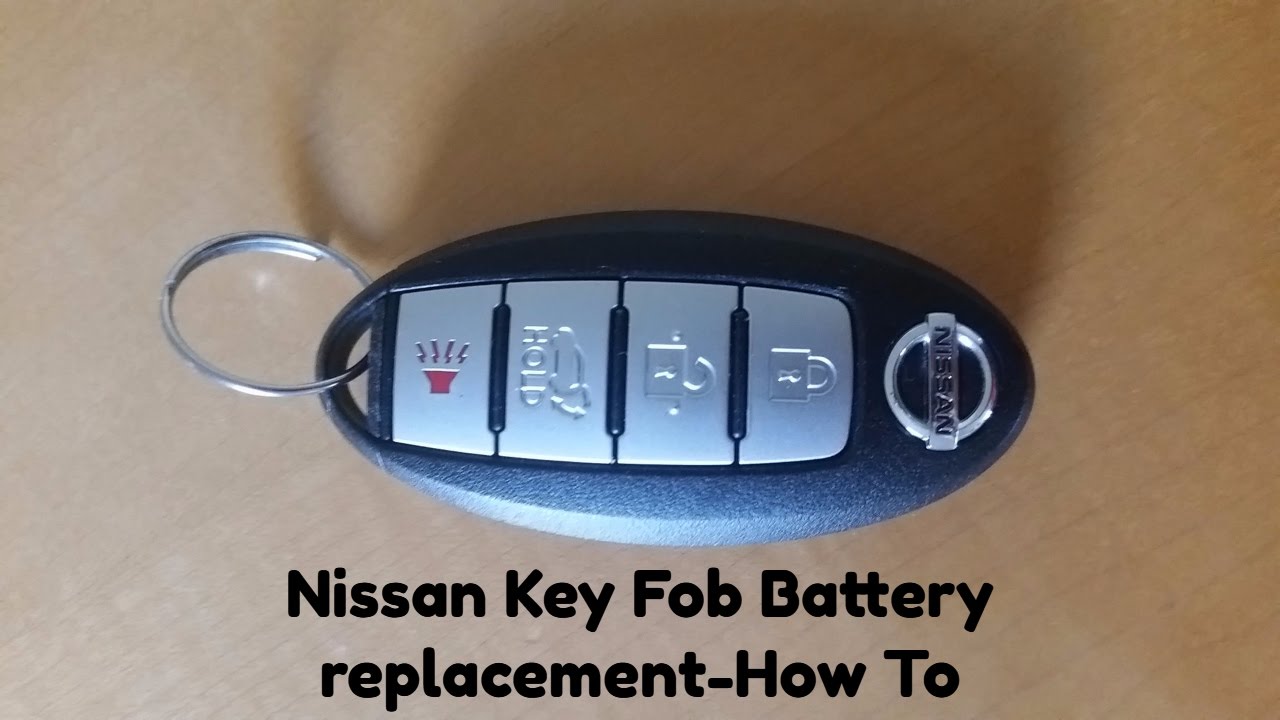
In our fast-paced world, convenience is king. A key fob epitomizes this notion, allowing effortless access to your vehicle, often with just a press of a button. However, what happens when this precious device refuses to cooperate? Unfortunately, a dying battery can turn a seamless experience into an unexpected inconvenience. Yet, changing the battery in a Nissan key fob is more straightforward than one might imagine. In this guide, you’ll discover how to quickly and efficiently swap out the key fob battery, ensuring that you’re back on the road in no time. Read on as we delve into a comprehensive exploration of this essential task.
Understanding Your Key Fob
Before embarking on the battery replacement journey, it is prudent to familiarise yourself with the key fob’s components. Key fobs are embedded with sophisticated technology that communicates wirelessly with your vehicle’s ignition system. On the surface, these devices are often simple, featuring buttons for door locks, unlocks, and sometimes panic alerts. A crucial element is the small battery housed within, normally a CR2032 or similar model, which powers the unit to function correctly. Recognising the integral role this battery plays not only in your vehicle’s security but also in everyday life will instil a sense of urgency in performing replacement.
Gathering Your Tools
Changing your Nissan key fob battery requires minimal tools, making it accessible to nearly everyone. You will need:
- A new battery (typically a CR2032, though you should verify this corresponds with your specific model).
- A small flat-head screwdriver or an appropriate prying tool.
- A clean, flat workspace to prevent losing any components.
Having the right tools readily available can streamline the process and prevent unnecessary delays, allowing you to complete the task efficiently.
Steps to Replace the Battery
Now, let’s dive into the nitty-gritty of the replacement process. These steps will guide you through a straightforward method that takes fewer than five minutes:
- Locate the Seam: Start by examining your key fob. Almost all Nissan key fobs possess a seam or groove along the edge, which is intended for separation. Identify this seam, as it will be your gateway into the inner workings of the fob.
- Open the Key Fob: Take your flat-head screwdriver or prying tool and gently insert it into the seam. Carefully twist or pry the tool to separate the two halves of the fob. It’s crucial to be gentle to avoid damaging the plastic casing. Once the fob clicks open, set one half aside.
- Remove the Old Battery: You will notice the battery secure within a compartment. Take note of how the battery is oriented before removing it—typically, the ‘+’ side should face upwards. Using the screwdriver, carefully pop the old battery out. Dispose of it responsibly, as batteries should never be discarded haphazardly.
- Insert the New Battery: Now, grab your new battery. Ensure it matches the model of the old one and place it in the compartment, adhering to the original orientation. The ‘+’ side should still be facing upwards. A firm click will indicate that the battery is securely in place.
- Reassemble the Key Fob: Take the two halves of the fob and gently press them back together, ensuring they snap into place. You may hear a satisfying click as all components align. Check for any gaps; if there are none, you’re well on your way to functional success.
- Test the Key Fob: With the fob reassembled, test the buttons to confirm the battery replacement was effective. Stand within proximity of your vehicle and try locking and unlocking the doors. If all functions are operational, congratulations, you have successfully changed your key fob battery!
Common Observations & Potential Pitfalls
Even the most adept DIYers can encounter challenges. Common mishaps include improperly orienting the battery or failing to engage the casing correctly. These issues can be frustrating but serve as excellent reminders to approach the task with care and consideration. It can also be easy to underestimate the value of a fully functional key fob, only to realise its importance during emergencies. In contemplating the minor inconvenience of a battery change, one might develop a deeper appreciation for these technological marvels.
Preventative Tips
Once you’ve triumphantly changed your key fob battery, consider adopting preventive measures to prolong the life of your key fob:
- Store your key fob safely: Avoid exposing it to excessive moisture and extreme temperatures, which can compromise the internal components.
- Regular checks: Make it a habit to check your key fob battery periodically. This proactive approach will save time and hassle down the road.
- Seek professional help if needed: Should you encounter persistent issues beyond battery replacement, consulting with a professional locksmith or dealer can avert further complications.
Changing your Nissan key fob battery is not merely a transient task; it is a reflection of a deeper connection between vehicle owners and their machines. Maintaining the functionality of your key fob not only ensures ease of access but also enhances the overall driving experience. Understanding this connection elevates the seemingly mundane act of battery replacement into a vital part of vehicle ownership.
In conclusion, with a few simple tools and around five minutes of time, you can restore the vitality of your key fob, circumventing inconveniences and reinforcing the bond between you and your vehicle. Remember, the next time your key fob struggles to respond, it might just be time for a simple battery change. Embrace this minor maintenance task, and keep your driving experience smooth and seamless.





Leave a Comment