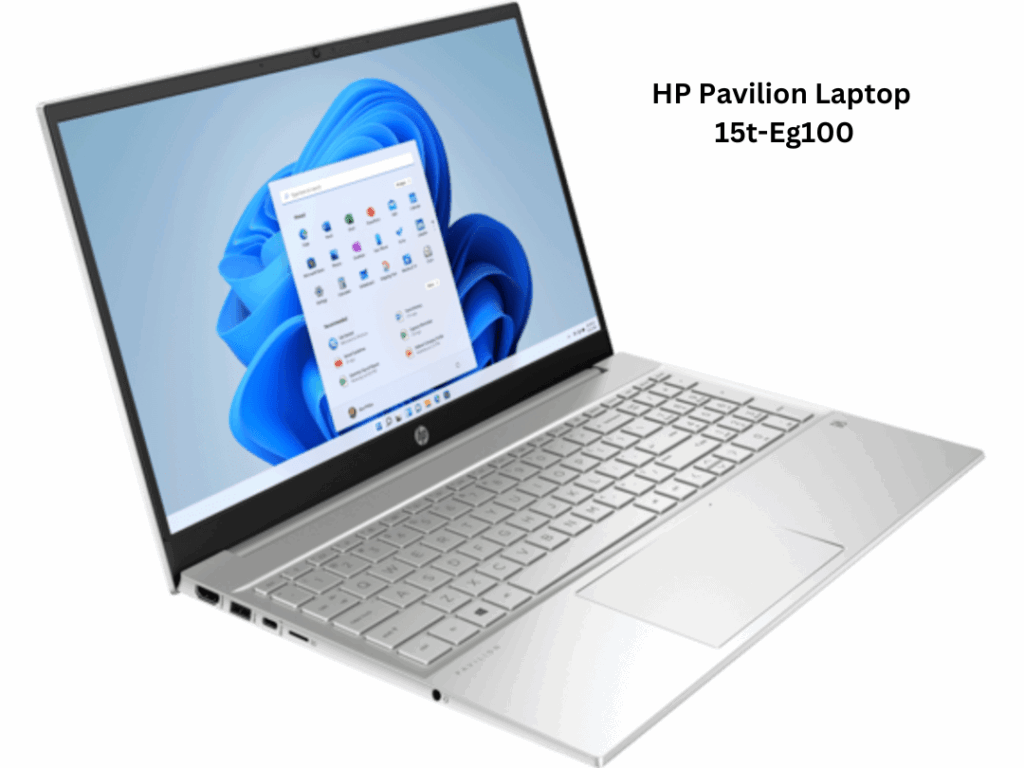
Short Answer
The HP Pavilion Laptop series is akin to the Swiss Army knife of portable computing. Versatile and efficient, these machines serve an array of purposes, from academic research to creative pursuits. However, the true essence of their performance hinges on a nascent yet often overlooked component: the battery. In this guide, we delve into the unique world of laptop batteries for the HP Pavilion series, exploring compatibility issues, key considerations for purchasing, and tips for maintaining optimal battery life. The right battery is not merely a power source; it is the lifeblood that sustains the machine’s myriad functions.
Understanding Battery Compatibility
When it comes to selecting a battery for your HP Pavilion Laptop, compatibility is paramount. In many respects, it resembles a finely tuned symphony, where each component must harmonise with one another. To determine compatibility, one must understand two critical aspects: the model number and the battery specifications.
Every HP Pavilion Laptop is accompanied by a model number—sometimes it can be found on the base of the device or within the system settings. Armed with this information, one can easily navigate through a sea of options. Each battery is engineered with specific voltage and capacity measurements. For instance, a typical HP Pavilion battery operates around 14.8V with a capacity ranging from 2200mAh to 6000mAh, depending on the model. The key is to ensure that the replacement battery aligns precisely with these specifications.
Types of Batteries: Lithium-Ion vs. Lithium Polymer
In the realm of laptop batteries, it is essential to become acquainted with the primary types available: Lithium-Ion and Lithium Polymer. Think of these two types as the different genres of music: while they may share a common purpose, their nuances can dramatically alter the performance experience.
Lithium-Ion batteries are the backbone of modern electronics. They boast a high energy density and can maintain their charge efficiently over time. On the other hand, Lithium Polymer batteries, though relatively newer, offer a flatter, lighter profile and can be moulded into various shapes to fit diverse laptop designs. For the HP Pavilion, the choice often leans towards Lithium-Ion, yet depending on the model, there may be situations where a Lithium Polymer battery is equally suitable.
Where to Buy: Trusted Sources
Acquiring the right battery can feel akin to embarking on a quest for a mythical artifact. It is crucial to go straight to the reliable vendors to ensure that what you are purchasing is not a sub-par imitation. Trusted online retailers such as Amazon, eBay, or dedicated electronic stores often feature user reviews and detailed listings that can guide your decision.
Additionally, exploring the official HP website is an astute move. Here, you will find OEM (Original Equipment Manufacturer) batteries that guarantee compatibility and performance. However, be prepared to invest a bit more for OEM products, as they typically come with warranties that can save you from unforeseen dilemmas down the road.
Signs That You Need a Battery Replacement
Like a diligent sentinel, your laptop battery will offer signs when it’s time for a replacement. One of the most glaring indicators is a rapid depletion of power during use. If your laptop begins to drain significantly faster than when it was new, it may be time to consider a new battery. Furthermore, unexpected shutdowns, even while connected to a power source, are alarming symptoms that should not be neglected.
Other signs may include excessive heat emanating from the battery or swollen battery cases. Visual indicators, such as a battery that refuses to charge past a certain percentage or produces unusual sounds, signal imminent replacement as well.
Maintaining Your Laptop Battery
Having procured an ideal battery, the next step is to harness its full potential through effective maintenance. To care for your laptop battery is to nurture its longevity. Regularly calibrating the battery is akin to providing it with a fitness regimen: it involves charging it to 100% and subsequently letting it drain to around 10% before charging it fully again. This practice helps the battery to keep track of its capacity accurately.
Moreover, avoid keeping your laptop plugged in all the time. Just like a wilting flower needs a period of rejuvenation, your battery also requires some time unplugged to maintain health. At temperatures above 35°C, batteries can sustain damage; thus, keeping your laptop in a temperate environment is advisable. Ensuring the battery’s terminals are clean and free of dust also promotes optimal contact, ultimately enhancing performance.
Conclusion: The Heart of Your HP Pavilion
In summary, the battery is not merely a power supply; it embodies the spirit of your HP Pavilion Laptop. Through understanding compatibility, purchasing quality replacements, recognising signs needing a change, and employing diligent maintenance practices, one can ensure that this intricate device continues to function at peak performance. Like the steadfast heart propelling a body forward, the right battery empowers your laptop to conquer a multitude of tasks—maximising productivity and creativity with every charge.
FAQ
How do I know if my HP Pavilion battery is compatible with my laptop model?
Check your laptop’s model number and compare the battery’s voltage and capacity specifications to ensure they match exactly.
What types of batteries are used in HP Pavilion laptops?
HP Pavilion laptops primarily use Lithium-Ion batteries, but some models may support Lithium Polymer batteries.
Where can I buy genuine HP Pavilion laptop batteries?
Trusted sources include the official HP website, Amazon, eBay, and dedicated electronics retailers offering OEM batteries.
What are common signs that my laptop battery needs replacement?
Rapid power depletion, unexpected shutdowns, excessive heat, swollen battery cases, and failure to charge past certain percentages are key indicators.
How can I maintain my HP Pavilion laptop battery to prolong its lifespan?
Regular calibration, avoiding constant charging, keeping the laptop in a temperate environment, and cleaning battery terminals help maintain battery health.


Leave a Reply